
Card design
Anki Card Templates for Language Learning: 4 Copyable Layouts
Compare four copyable Anki card templates for language learning, choose by retrieval goal, install safely, and test HTML, CSS, media, and mobile layouts.
The best Anki template for language learning is usually a simple Basic recognition card: one target-language sentence on the front; contextual meaning, audio, and source on the back. It gives you a clear prompt without locking your notes into one learning method.
From that foundation, you can generate a listening card, a focused Cloze card, or a production card when you actually need those skills. This guide gives you copyable layouts for all four—without requiring a downloadable note type or a complicated visual theme.
The best starting template
If you want one decision, use this:
| Setting | Start with |
|---|---|
| Note type | Basic |
| Front | One natural target-language sentence |
| Back | Contextual meaning, audio, optional translation, source |
| Cards per note | One |
| Add later | Listening or production cards only for a defined need |
Why this works: the front has one job—understand the sentence—and the back supplies enough evidence to check your answer. The note remains flexible because sentence, meaning, media, and source live in separate fields.
There is no universal best-looking Anki card design. A useful design makes the question obvious, keeps accidental hints off the front, and remains readable on both desktop and mobile.
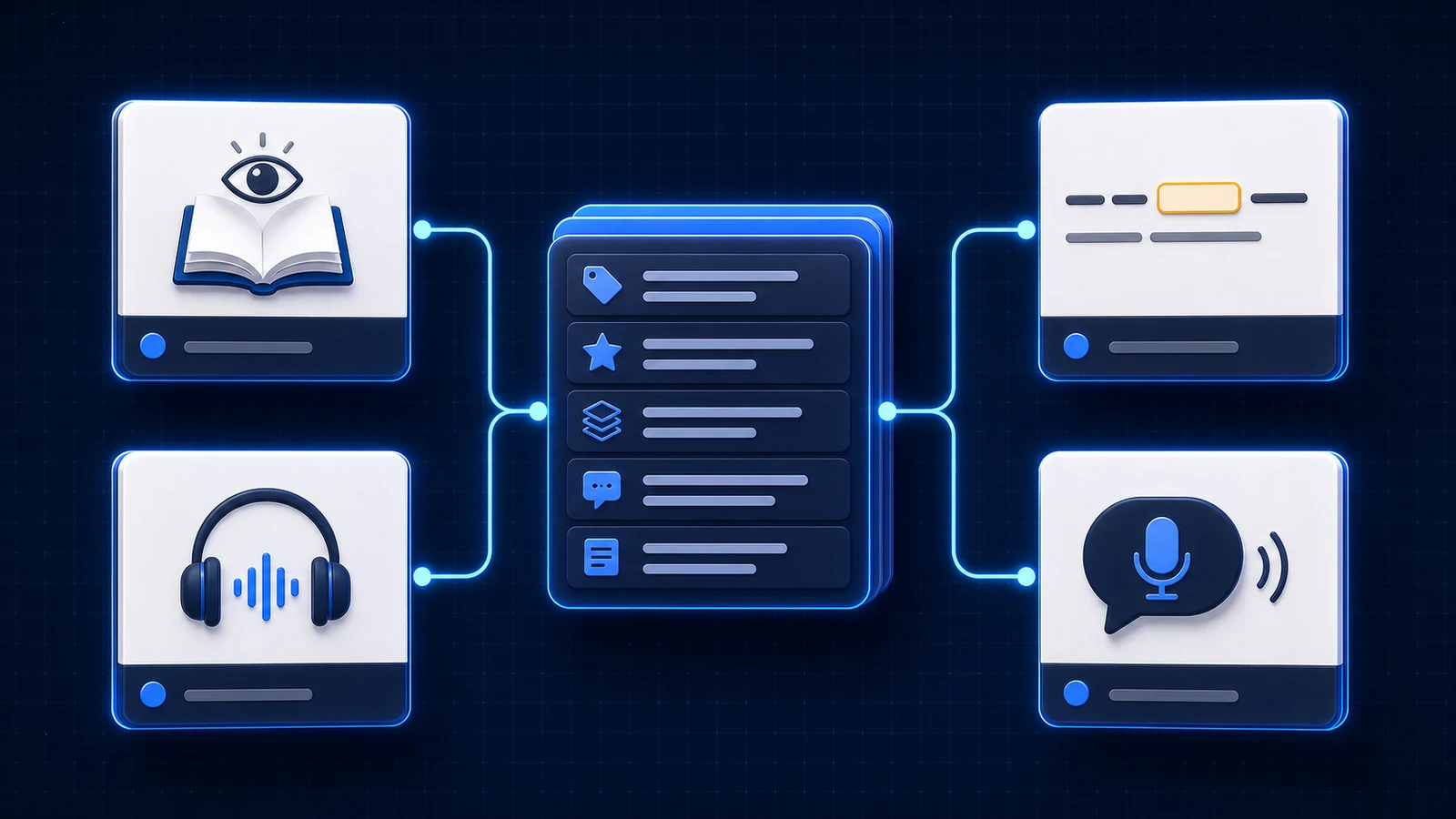
Choose the template by retrieval goal
The same sentence can support several cards, but that does not mean it should. Name the behavior you want outside Anki, then choose the smallest prompt that rehearses it.
| Goal outside Anki | Front of card | Evidence after the attempt | Best starting type |
|---|---|---|---|
| Understand written language | Target-language sentence | Contextual meaning, optional translation | Basic recognition |
| Recognize speech | Short audio clip | Transcript, meaning, source | Basic, audio first |
| Supply a form in context | Sentence with one constrained gap | Complete sentence, usage note | Cloze |
| Spell one exact form | Specific cue plus input box | Typed comparison, full sentence | Basic or Cloze with type: |
| Say a useful expression | Precise situation or communicative cue | Target phrase, audio, alternatives | Optional Basic production |
This prevents a common design mistake: using a reverse card because a note has two fields, not because both directions are useful. Recognition and production have different costs. Understanding No me lo esperaba does not imply that “I wasn't expecting that” has only one correct Spanish answer.
A practical decision sequence
- Is sound the evidence you need to recognize? Put audio alone on the front.
- Is one form inside a sentence the target? Use a constrained Cloze deletion.
- Is exact spelling the target? Add typed comparison to one short answer.
- Do you need to understand the sentence? Use Basic recognition.
- Do you deliberately want the expression available for speaking or writing? Add one specific production card.
If none of those goals is clear, do not generate another card type. A flexible note is valuable precisely because it can store useful context without scheduling every field as a separate review.
Recommended language-learning fields
Create these fields once, then let each card template choose which ones to show. In Anki Desktop, open Tools → Manage Note Types, select or add a note type, then use Fields and Cards to configure it. The official Anki template guide explains the relationship between notes, fields, and cards.
| Field | What to store | Example |
|---|---|---|
| Sentence | Clean target-language sentence | No me lo esperaba. |
| Focus | Word, phrase, or pattern being learned | esperarse algo |
| Meaning | Meaning in this context | to expect something |
| Translation | Natural full-sentence translation | I wasn't expecting that. |
| Audio | Short original or licensed clip | [sound:clip-014.mp3] |
| Image | Optional scene context | scene-014.webp |
| Source | Title, URL or filename, and timestamp | Episode 2 · 08:14 |
| Notes | Brief grammar, register, or usage detail | lo refers to the situation |
Store only content in the fields. Keep fonts, spacing, colors, and layout in the card template and Styling panel. That separation lets you redesign thousands of cards at once.
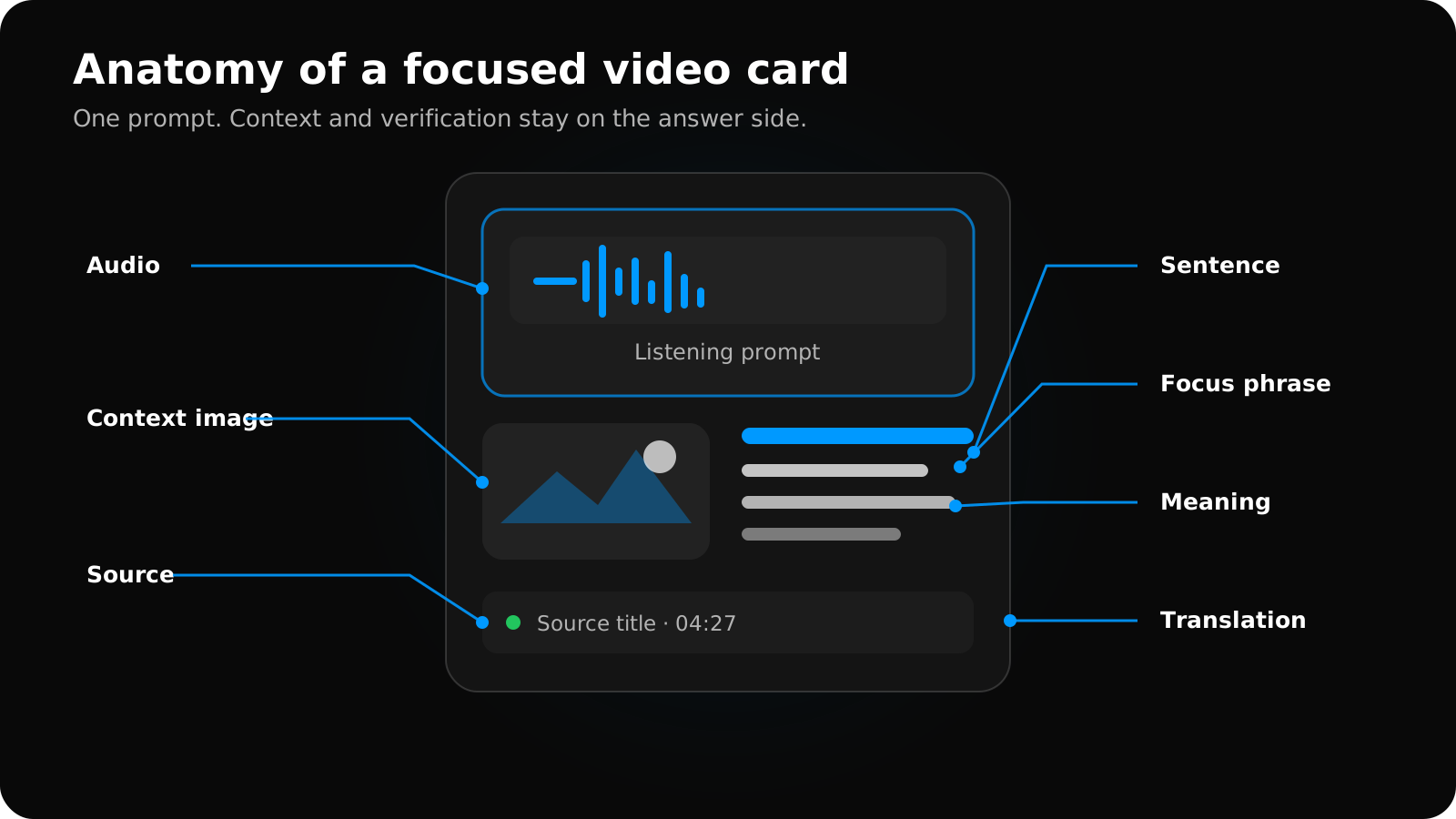
Swipe to explore the full diagram.
Not every note needs every field. An empty Image or Notes field is better than pasting unrelated content into Sentence. Use the companion guide to decide when audio and screenshots improve recall rather than reveal the answer.
Build a note type or download one?
A downloadable template is fastest when its fields, card-generation rules, and mobile behavior match your goal. It becomes expensive when you have to decode somebody else's JavaScript, rename unclear fields, or delete several unwanted card types.
Before importing any shared note type, check:
- which cards one note generates;
- whether fonts, scripts, or static media are bundled;
- whether the front reveals the answer through translation, image, or tags;
- whether it uses JavaScript for essential behavior;
- whether the field names still make sense when you export or migrate the notes;
- whether it remains readable in your mobile client and night mode.
For most learners, cloning Anki's built-in Basic or Cloze type and pasting a small template is easier to audit. Anki's official template manual explains that the front, back, and shared Styling panel control every card generated by the note type.
Four copyable Anki card layouts
These layouts use Anki's built-in field-replacement syntax. Create only the card types you intend to review; one note does not need to generate all four.
1. Sentence recognition — the default Basic card
Use it for: understanding a word or expression in a natural sentence.
Example review: No me lo esperaba. → “I wasn't expecting that.” The learner succeeds by understanding the sentence, not by reciting one predetermined English wording.
Front template
<div class="prompt">Understand this sentence</div>
<div class="sentence">{{Sentence}}</div>
Back template
{{FrontSide}}
<hr class="answer">

<div class="meaning">{{Meaning}}</div>
{{#Translation}}<div class="translation">{{Translation}}</div>{{/Translation}}
{{#Focus}}<div class="focus">Focus: {{Focus}}</div>{{/Focus}}
{{#Audio}}<div class="media">{{Audio}}</div>{{/Audio}}
{{#Image}}<div class="image">{{Image}}</div>{{/Image}}
{{#Notes}}<div class="notes">{{Notes}}</div>{{/Notes}}
{{#Source}}<div class="source">{{Source}}</div>{{/Source}}
This is the safest general-purpose template because it works without media and does not force an exact production answer.
2. Listening recognition — a Basic card with audio first
Use it for: recognizing a phrase at natural speed.
Example review: hear the clip containing No me lo esperaba. → reconstruct or understand what was said → reveal the transcript and meaning.
Front template
<div class="prompt">What did you hear?</div>
<div class="media">{{Audio}}</div>
Back template
<div class="sentence">{{Sentence}}</div>
<div class="meaning">{{Meaning}}</div>
{{#Translation}}<div class="translation">{{Translation}}</div>{{/Translation}}
{{#Image}}<div class="image">{{Image}}</div>{{/Image}}
{{#Source}}<div class="source">{{Source}}</div>{{/Source}}
Do not put the transcript or a revealing screenshot on the front. If you want the audio to replay on the back, include {{Audio}} there explicitly; Anki does not automatically replay front-side audio after the answer appears.
3. Focused sentence gap — a Cloze card
Use it for: a specific inflection, particle, preposition, or collocation when the sentence strongly constrains the answer.
Create a Cloze note with Anki's standard Text and Back Extra fields.
Text field example
No me lo {{c1::esperaba::verbo}}.
Back Extra field example
<div class="meaning">I wasn't expecting that.</div>
<div class="notes">esperarse algo — to expect something</div>
Front template
<div class="prompt">Complete the sentence</div>
<div class="sentence">{{cloze:Text}}</div>
Back template
<div class="sentence">{{cloze:Text}}</div>
{{Back Extra}}
Use one cloze number for one learning target. Hiding several unrelated words creates several reviews and often tests guessing from grammar rather than understanding.
4. Guided production — an optional Basic card
Use it for: expressions you specifically want to say or write, after they are already familiar.
Add a ProductionPrompt field. Make the cue specific enough that a reasonable alternative answer does not feel like a failure.
ProductionPrompt example: React to a surprising result: “I wasn't expecting that.”
Front template
<div class="prompt">Say this naturally</div>
<div class="meaning">{{ProductionPrompt}}</div>
Back template
<div class="focus">{{Focus}}</div>
<div class="sentence">{{Sentence}}</div>
{{#Audio}}<div class="media">{{Audio}}</div>{{/Audio}}
{{#Notes}}<div class="notes">{{Notes}}</div>{{/Notes}}
{{#Source}}<div class="source">{{Source}}</div>{{/Source}}
Do not generate a reverse card automatically for every note. Production is slower, and translation prompts often allow multiple correct answers. Reserve it for high-value language you genuinely want available in speech or writing.
Shared card styling
Paste this into the note type's Styling panel, then adjust the font stack for your target script. It uses no remote assets and respects Anki's night-mode class.
.card {
  box-sizing: border-box;
  max-width: 42rem;
  margin: 0 auto;
  padding: 2rem 1.25rem;
  background: #f7f7f5;
  color: #202124;
  font-family: system-ui, -apple-system, "Segoe UI", sans-serif;
  font-size: 20px;
  line-height: 1.55;
  text-align: left;
}

.prompt {
  margin-bottom: 1rem;
  color: #687076;
  font-size: 0.72em;
  font-weight: 700;
  letter-spacing: 0.08em;
  text-transform: uppercase;
}

.sentence { font-size: 1.35em; }
.meaning, .focus { margin-top: 1rem; font-weight: 650; }
.translation, .notes { margin-top: 0.75rem; color: #4f565c; }
.media, .image { margin-top: 1.25rem; }
.source { margin-top: 1.5rem; color: #737a80; font-size: 0.72em; }
img { display: block; max-width: 100%; max-height: 18rem; margin: 0 auto; border-radius: 0.75rem; }
hr.answer { margin: 1.75rem 0; border: 0; border-top: 1px solid #d9dcde; }

.nightMode.card {
  background: #1f2125;
  color: #f2f3f5;
}
.nightMode .prompt, .nightMode .translation,
.nightMode .notes, .nightMode .source { color: #aeb4ba; }
.nightMode hr.answer { border-top-color: #454a50; }
Preview the note type in Anki Desktop and on the device where you review. Long sentences, right-to-left scripts, large images, and custom fonts can expose layout problems that a short sample misses.
The shared CSS above is deliberately conservative. For responsive type, right-to-left fields, furigana, media limits, and a more complete night-mode baseline, use the focused Anki card CSS guide.
Basic vs Cloze for language learning
Choose the note type based on the retrieval task, not on which editor button is faster.
| Choose Basic when… | Choose Cloze when… |
|---|---|
| Front and back need different fields | The sentence itself is the prompt |
| Audio must be the entire front | One span should be hidden |
| You are testing recognition or production | You are testing a form or collocation |
| Several valid phrasings could explain the answer | The context points to one intended answer |
| You want full control over generated card types | You want one or a few deliberate deletions |
Basic is the better default for sentence mining because the same structured note can support reading, listening, and optional production layouts. Cloze is excellent when the missing element is the point: a gender ending, verb form, particle, or fixed phrase. The dedicated Anki Basic vs Cloze comparison applies that choice to the same sentence, flexible answers, and card-count tradeoffs.
Avoid Cloze when the blank is ambiguous or when it can be solved from syntax alone. Also avoid turning every interesting word in one sentence into a separate cloze. Each cloze number can create another card, so the review cost grows quickly. See the official Cloze deletion documentation for supported syntax.
For language-specific examples, hint syntax, same-number deletions, and an ambiguity checklist, continue with Anki Cloze deletion for language learning.
Anki card-design rules that matter
Give the front one job
You should be able to describe success in one sentence: “understand this sentence,” “recognize this audio,” “supply this form,” or “produce this expression.” If the front simultaneously tests listening, translation, spelling, and recall, a wrong answer becomes hard to diagnose.
Put verification after the attempt
Keep translations, explanatory images, grammar notes, and source context on the back unless one is essential to define the prompt. Useful context becomes an accidental hint when it appears too early.
Keep meaning contextual
Write the meaning the expression has here. A long dictionary entry turns the review into a definition-reading task. Add only the usage note needed to understand why the sentence means what it means.
Keep the original source recoverable
A title or filename plus timestamp lets you revisit questionable audio, transcription, tone, or translation. This matters more over time than decorative styling.
Prefer readable restraint
Use a comfortable line length, strong contrast, one main text size, and a muted hierarchy for notes and sources. Test both day and night modes. Color can emphasize structure, but meaning should not depend on color alone.
Measure the review, not the template's complexity
After a week, look for repeated problems. If cards are easy because the image reveals the answer, move it to the back. If listening failures are impossible to diagnose, shorten the clip. If production prompts accept many answers, make them more specific or remove that card type.
The best template is the simplest one that produces honest retrieval and useful feedback. VidToAnki is still a private beta, and its generated card fields are still being refined; these layouts are independent Anki patterns you can use today, not a promise of a finished VidToAnki note type.
Install and test a template safely
If you have not used Anki's Cards window before, follow the step-by-step Anki template editor guide for cloning a note type, changing the front and back, hiding empty fields, and testing representative notes.
Treat a template change like a small migration. The note content and the card presentation are separate, but changing field names or card-generation rules can still create empty or unexpected cards.
1. Clone before changing
In Tools → Manage Note Types, clone the current note type. Give the copy a name that describes the job, such as Language — Reading + Listening. A clone provides a recoverable baseline without duplicating every note immediately.
2. Confirm the field contract
Add or rename fields before pasting templates. Field names are case-sensitive: {{Sentence}} does not resolve a field named sentence. Keep a short written list of the expected fields and what each stores.
3. Paste one card type at a time
Start with sentence recognition. Preview a note with real content, then review it once. Add listening, Cloze, typed answer, or production only after the first card behaves correctly.
If exact spelling is a defined goal, the Anki type-in-the-answer guide shows both Basic and Cloze syntax. Typed comparison supports one line and one compared field, so it should not be the default for open translation.
4. Test edge cases
Use at least five notes:
- a short sentence with no media;
- a long sentence that wraps;
- an image plus audio;
- the target writing system with accents or right-to-left direction;
- empty optional fields.
Check the question, reveal the answer, replay audio, rotate the phone if relevant, and enable night mode. The Cards preview is useful, but the official typed-answer documentation notes that input boxes do not appear in every preview surface; interactive cards need a real review.
5. Inspect generated cards before scaling
In Browse, confirm how many cards each note created. An accidental reversed type or multiple Cloze numbers can double or triple the review load. Empty optional fields should remove their surrounding blocks through conditional replacements such as {{#Audio}}...{{/Audio}}.
6. Move a small batch and sync
Convert or move a few representative notes first. Sync, review them on the second device, and keep the old note type until the new version survives several days of real use. Only then migrate the rest.
The result should be boring in the best way: the prompt is immediately clear, the answer supplies enough evidence, and the template disappears behind the language you are trying to learn.
Related guides
Anki Card Fields for Language Learning: A Clean Setup
Build reusable Anki note fields for sentence, focus, meaning, translation, audio, image, source, and notes without locking content into one layout.
Read article →Anki Card Examples for Language Learning: 6 Better Designs
Compare six weak and improved language-learning Anki cards for sentences, listening, images, Cloze, vocabulary, and production.
Read article →Anki Cloze Deletion for Language Learning: Examples and Setup
Create effective Anki Cloze cards for language learning with constrained sentence examples, copyable templates, hints, and ambiguity checks.
Read article →Anki Card CSS for Language Learning: Mobile-Friendly Style
Copy a responsive Anki card CSS baseline for readable language cards, night mode, mobile media, right-to-left text, furigana, and typed answers.
Read article →Anki Type in the Answer for Language Learning
Set up Anki type-in-the-answer cards for spelling, inflections, and Cloze prompts, with copyable templates, comparison behavior, and mobile checks.
Read article →Anki Cards With Audio and Images: When Context Improves Recall
Use audio and screenshots in Anki without turning every language card into a noisy collection of hints.
Read article →