
Card design
Anki Video Clips vs Audio and Screenshots
Choose short video clips or audio-plus-screenshot cards by learning goal, file size, review speed, device support, and the context each format preserves.
Anki can store short video clips, audio, and images. The best format depends on what the card tests. Video preserves motion and timing; audio plus one scene image often preserves enough context with a lighter, quieter review.
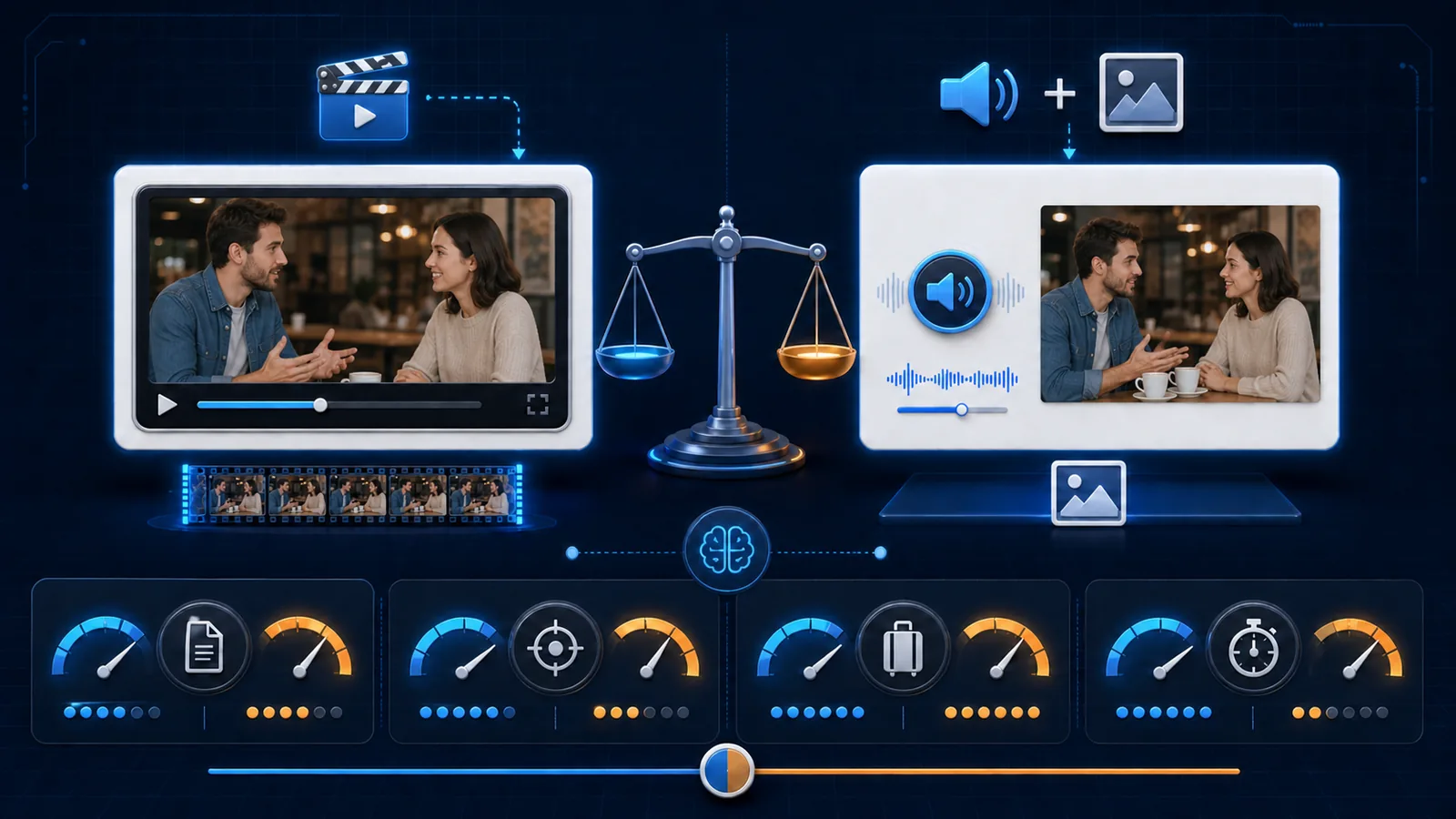
Choose by learning goal
Use a video clip when motion, gesture, lip movement, a changing visual referent, or the timing between speakers is part of the learning target.
Use audio plus one screenshot when the task is speech recognition and one still frame provides enough situational context.
Use audio only when the image would become a hint or when listening without visual support is the intended skill.
Do not add video because it feels more complete. Every extra second and pixel affects file size, synchronization, and attention during review.
When video clips help
Video earns its place when removing motion would remove meaning:
- a gesture changes the force of an expression;
- mouth shape or facial timing is the target;
- the speaker points to changing objects;
- turn-taking or interruption matters; or
- a short action defines the verb or phrase.
Keep the clip tight. Include a small natural lead-in, the full target, and enough ending to avoid a harsh cut. Remove long silence, unrelated dialogue, intros, and repeated material.
Costs to test
Video files are usually larger than equivalent audio plus one compressed image. Larger decks take longer to import, sync, back up, and check. Playback behavior can vary across Anki Desktop, AnkiMobile, AnkiDroid, and AnkiWeb.
The Anki Manual's media page describes MP3 audio and MP4 video as the most broadly supported choices. “Broadly” is not “identically,” so test the exact clients and codecs you use before creating a large batch.
Video can also slow the review itself. If the card automatically plays a five-second clip after you already know the answer, that cost repeats across every review.
When audio and one image win
Audio plus a contextual frame is a strong default for video sentence mining:
- audio preserves pronunciation, prosody, and speaker voice;
- the still image restores people, setting, and referents;
- the transcript can remain hidden until the answer;
- files are usually lighter; and
- a static layout is easier to scan.
Choose the screenshot for context, not decoration. It should help answer “who, where, or what situation?” without directly translating the phrase.
Place media according to the task:
| Task | Front | Back |
|---|---|---|
| Listening recognition | Audio; optional neutral cue | Transcript, meaning, image, source |
| Reading recognition | Sentence | Meaning, audio, image, source |
| Scene-dependent production | Specific scene and bounded cue | Target sentence, audio, source |
The audio-and-image card guide explains front/back placement in more detail.
Format decision table
| Question | Prefer video | Prefer audio + screenshot |
|---|---|---|
| Does motion carry meaning? | Yes | No |
| Is lip or gesture timing the target? | Yes | No |
| Is one still frame enough context? | No | Yes |
| Must the deck stay lightweight? | Less ideal | Usually better |
| Is rapid mobile review important? | Test carefully | Usually simpler |
| Would the moving scene distract? | Less ideal | Better |
Packaging checklist
- trim to one complete utterance;
- use media you are allowed to use;
- choose broadly supported formats;
- keep filenames simple and stable;
- include the source in a separate field;
- import a sample deck first;
- test desktop and mobile playback;
- sync twice before assuming media is missing; and
- run Tools → Check Media after bulk changes.
If sound is clipped or noisy, fix the source before changing card styling. Follow how to trim Anki audio clips. For the full creation path, see how to make Anki cards from videos.
Anki media-format FAQ
Can Anki cards contain video clips?
Yes. Test playback and sync on the clients you use before importing a large deck.
Is video better than audio and an image?
Only when motion or visual timing matters. Audio plus one contextual image is often lighter and more focused for speech recognition.
Which formats are safest across devices?
The Anki Manual describes MP3 audio and MP4 video as the most broadly supported. Verify the actual devices in your workflow.
Related guides
Anki Cards With Audio and Images: When Context Improves Recall
Use audio and screenshots in Anki without turning every language card into a noisy collection of hints.
Read article →How to Make Anki Cards From Videos: 5-Step Workflow
Make focused Anki cards from videos in five steps: select useful moments, verify text, add audio or images, structure fields, and inspect the APKG.
Read article →How to Trim Audio Clips for Anki Cards
Trim clean sentence-level audio for Anki without cutting speech, preserving unnecessary dialogue, or giving away the answer before recall.
Read article →